
3.7 Inch Pocket eReader Built for Focus - X3
As an Amazon Associate we earn from qualifying purchases, at no extra cost to you.
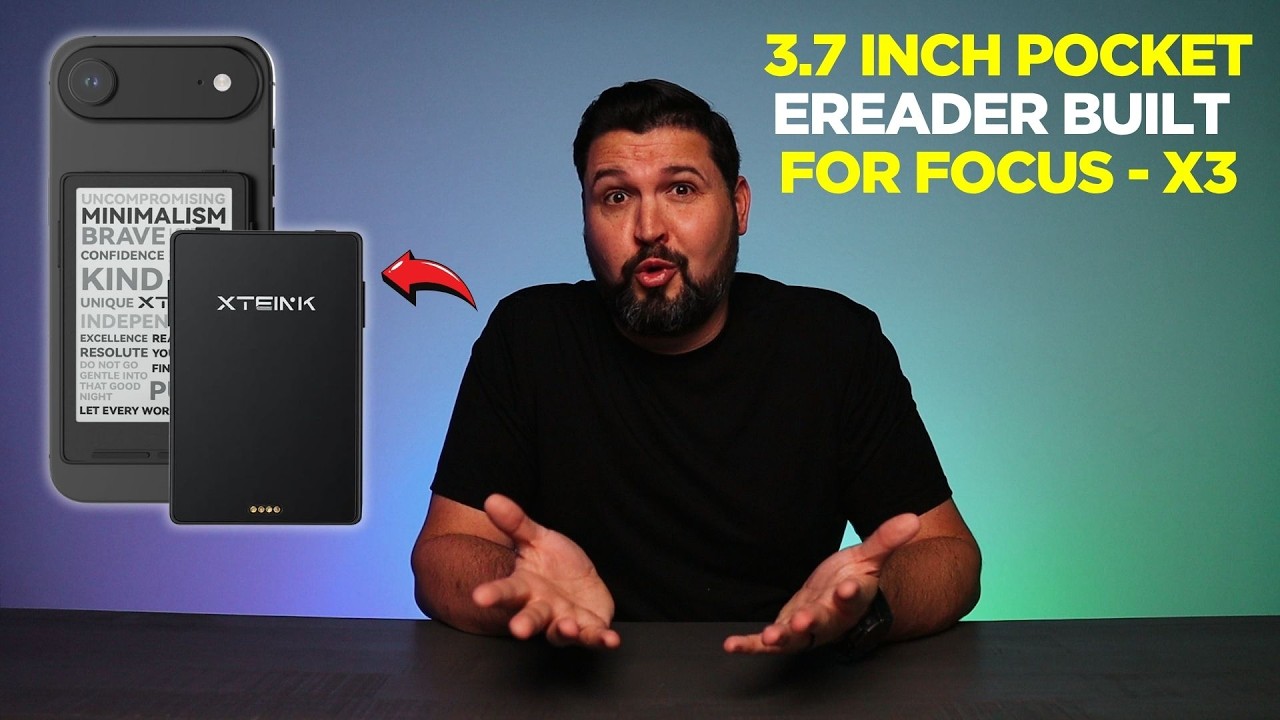
The X3 eBook Reader (Developer Edition) is a 3.7-inch pocket E-Ink device reviewed by CommQuest, and it delivers on its core promise: a distraction-free reading experience in a package so thin (0.2 inches) and light (2 oz) you genuinely forget it’s in your pocket.
A Very Small Device With a Clear Purpose
The X3 is not trying to be a tablet or a general-purpose gadget. It runs E-Ink, carries no notification system, and has no LCD screen. That’s the whole point. If you’ve ever picked up your phone to read and ended up somewhere else entirely twenty minutes later, this device is a direct answer to that problem. CommQuest positions it as purpose-built for focus, and the hardware backs that up.
At 3.7 inches, it’s genuinely pocket-sized. The 0.2-inch thickness and 2-ounce weight are the specs that matter most day-to-day. Those numbers don’t sound dramatic on paper, but in practice they mean the X3 slips into a shirt pocket or sits in a jacket without any bulk. Most dedicated e-readers are noticeably heavier and thicker. This one isn’t.
What the Reviewer Actually Noticed
Two features stood out in CommQuest’s hands-on look. The first is gyroscope page-turning. You tilt your wrist and the page flips. That sounds like a novelty, but the reviewer made a fair point: you don’t really appreciate it until you use it during a commute or while lying in bed, where holding a device and tapping a screen repeatedly gets old fast. It keeps the interaction minimal.
The second is the Pogo-Pin charging setup. It’s magnetic-ready, which means no port to snag or wear out. The design stays clean. For a device this thin, that’s a sensible choice rather than a gimmick.
Storage is 16GB. That’s enough for a very large library of e-books. Most people reading daily won’t come close to filling it.
The Developer Edition Angle
The “Developer Edition” label signals that this isn’t only for casual readers. CommQuest notes it’s a solid pick for anyone who wants to tinker, customize, or build something around the hardware. That’s a real secondary audience: developers, tinkerers, and people who want more control over their reading software or device behavior. If you’re in that camp, the X3 gives you a platform to work with. If you just want to read books, the label doesn’t change anything about the experience.
Who It Actually Fits
Daily readers who commute, travel, or read before sleep are the obvious fit. The E-Ink screen is easier on the eyes than a phone or tablet in low light, and the lack of notifications means you stay in the book. The small size means it goes everywhere without negotiation. And for developers or technically curious users, the Developer Edition opens up customization that a standard consumer e-reader wouldn’t.
The X3 is a focused device. It does one thing and doesn’t apologize for not doing more. For readers who want exactly that, CommQuest’s take is that it delivers.
Common questions
- How much does the X3 weigh?
- The X3 weighs 2 ounces, making it light enough to carry without noticing it in a pocket.
- What is gyroscope page-turning and does it work well?
- Gyroscope page-turning lets you flip pages by tilting your wrist instead of tapping the screen. According to CommQuest's review, it feels like a small thing until you actually use it, at which point it becomes a genuinely useful hands-free interaction.
- How does the X3 charge?
- It uses a magnetic-ready Pogo-Pin charging system, which keeps the design snag-free and avoids a traditional port.
- What does 'Developer Edition' mean for this device?
- CommQuest describes it as a good choice for users who want to tinker, customize, or build around the hardware, in addition to using it as a standard e-reader.